Troubleshooting
Follow this guide to diagnose and resolve common issues with Alert Manager Enterprise (AME). For unresolved problems, contact support instead of directly editing KV Store collections, as this can compromise data integrity.
Never edit KV Store collections directly (e.g., with Lookup Editor), as this can severely impact data integrity. Always contact support if an issue persists after following this guide.
Adjusting Log Levels
If AME support requests increased logging to diagnose an issue, adjust log levels in the Logging tab under Administration > Configuration (see Logging Configuration for details).
Heavy logging (e.g., DEBUG mode) can degrade application performance. Revert to INFO level after resolving the issue to ensure optimal operation.
Finding Object References
Locate object references in the AME UI or via the command line to troubleshoot dependencies:
-
UI Method:
-
Click the Show Object References button in the relevant interface:
Button Function 
Show Object References -
A modal opens, displaying where the object is currently in use:
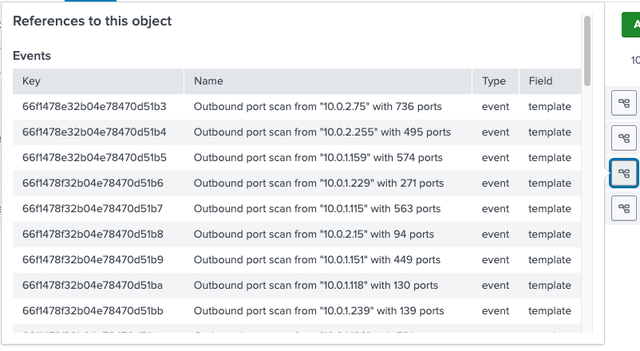
-
-
Command-Line Method: Use the
amelookupreferencescommand (see amelookupreferences for details).
Manually Creating an Event
To test AME functionality by manually creating an event, run the following Splunk search:
| makeresults
| eval user="World", src="192.168.0.1", action="create test event"
| sendalert create_alert param.title="Hello $result.user$" param.template=default param.tenant_uid=default
Troubleshooting Guide
The HEC Connection does not work
Testing a HEC Reciever Connection
To test if the HEC Receiver works, open the Tenants settings and click on Send Test Event.
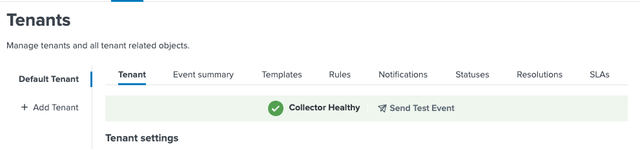
A Response: Successfully send test event Toast-Message is returned if the HEC Connection works correctly.
Additionally, you can run the following search to check connection errors:
index=_internal sourcetype="ame:*" log_level=ERROR
If you see a connection timed-out event, check connectivity:
2025-02-28T07:47:14.417-05:00 version=3.2.3 log_level=ERROR pid=27106 s=AbstractHECWrapper.py:send_chunk:298 uuid=c06ac2ca-1f8d-44db-ba8f-0b22298aa235 action=sending_event reason="[Errno 111] Connection refused"
From your search head you can try to test the connetion with:
curl -k https://localhost:8088/services/collector -H 'Authorization: Splunk <HEC_TOKEN>' -d '{"index":"ame_default"}'
As we are not sending an event we should still get:
{"text":"No data","code":5}
No events are found
Check if the tenant index contains data:
index="ame_default"
Submitting Logs for Support
When opening a support case and logs are requested, extract relevant logs using this Splunk search:arch to find internal logs.
index=_internal sourcetype=ame:* | table _time, sourcetype, _raw
Please make sure to set the time-range to the period the issue has occured.